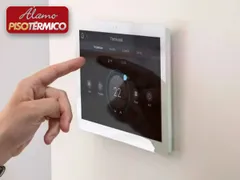
Driver for integrating Álamo Piso Térmico radiant floor heating, using the Álamo gateway as the interface to the thermostats. The driver looks for the thermostats configured on the gateway and creates a connection for each one.
Each thermostat is controlled by an instance of the ZoomDH thermostat driver, with temperature setting, presets and lock.
Installation
- Set up the thermostats on the Wi-Fi network and add them to the Piso Térmico app
- Connect the gateway by Ethernet cable to the same network as the thermostats
- Reserve the gateway IP on the DHCP server
- In the driver properties, set the gateway IP and port
- The driver creates a connection for each thermostat found, identified by its MAC; rename it if you like
- Add one instance of the ZoomDH Alamo Piso Termico Termostato driver for each thermostat and bind it in the Connections tab
Features
- Automatic discovery of the thermostats configured on the gateway
- One connection per thermostat, identified by its MAC address
- Thermostats renamed through a driver action
- Floor heating temperature control per thermostat
- Presets saved on the thermostats
- Thermostat lock
- Periodic communication check and gateway online/offline status
Requirements
- Álamo Piso Térmico gateway wired to the same network as the thermostats
- Thermostats configured on Wi-Fi and in the Piso Térmico app
- ZoomDH Alamo Piso Termico Termostato driver (one instance per thermostat)
More details about this driver: drivers@zoomdigitalhome.com.br