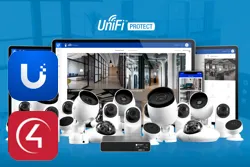
The UniFi Protect Gateway driver integrates UniFi Protect with Control4. It authenticates on the console, discovers the registered cameras and automatically creates a child driver for each one.
Detection events (motion, smart detection and doorbell) are available for programming, and RTSP video and snapshots are enabled on each camera.
Installation
- In UniFi Protect, go to Settings > Integrations and click “Create API Key”
- Copy the key and paste it into the driver’s “API Token” property in Composer
- Enter the console IP in “IP Address”
- Optionally, fill in “Console Username” and “Console Password” with a local user, for a more reliable event channel and codec detection
- Run the “Auto Install Camera Drivers” action to create the camera drivers
Features
- Automatic discovery and installation of the camera drivers
- Real-time motion, person/vehicle/animal and doorbell events
- RTSP video (High/Medium/Low) enabled automatically per camera
- Works with UniFi and third-party (ONVIF) cameras in Protect
- Authenticated snapshot proxy
- Automatic video codec detection (H264/H265)
- Event reception through a Webhook as an alternative
Requirements
- UniFi console with UniFi Protect
- API Key created in Settings > Integrations in Protect
- Console local user (optional, recommended)
More details about this driver: drivers@zoomdigitalhome.com.br