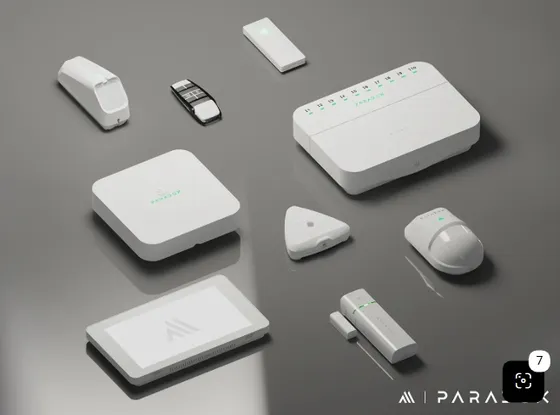
This driver integrates Paradox alarm panels (EVOHD and Digiplex) with Control4 through the PRT3 module, with RS-232 serial communication.
The driver supports multiple partitions, every arming mode, downloading zone, area and user names, virtual inputs, utility keys, push and e-mail notifications and a light alert on alarm.
Installation
- On the PRT3, enable the serial port and the home automation protocol (section [016]: options 1, 3 and 4, or through Babyware), 19200 baud, ASCII protocol.
- Add the driver to the project and enter the key in “License Key” (the driver has a 30-day trial).
- Set the number of zones, partitions and users, and adjust each partition in “Partition - Settings”.
- For e-mail notifications, enter “Service Email” and “Customer Email”.
- Make the RS-232 connection; the driver starts polling the panel.
- In “Driver Actions”, use “Download Partition Labels”, “Download Zone Labels” and “Download User Labels” and set the type of each zone.
- Add a sensor for each zone and bind it to the matching panel input.
Features
- Stay, Away, Instant and Force arming and disarming per partition
- Up to 192 zones and 8 partitions
- Zone, area and user names downloaded from the panel
- 4 and 6 digit user codes
- Integration with Paradox door modules (RFID and access control)
- Utility keys and virtual inputs triggered by the automation
- Push and e-mail notifications for arming, disarming, alarms and troubles
- Lights flash automatically on alarm
- Periodic check of communication with the panel
Requirements
- Paradox PRT3 module with serial enabled and the home automation protocol
- Straight-through serial cable (19200 baud, 8N1)
- Push and e-mail agents in the project (4Sight service) for the notifications
Release notes
- 20261011
New licensing library (v6): the license now works with accented characters in the project name. Driver migrated to the ZOOMDH_LIB library. New HTML documentation (PT/EN). Fixed the "User Code Has Entered" event, which was not created. Fixed the entry delay countdown, which used the exit delay.
- 301
2024-05-13 - Added zone status check on the checkin timer.
- 300
2023-11-06 - Updated licensing control code.
- 205
2021-05-05 - Added the ZONE_IN_ALARM variable.
- 204
2021-01-19 - Workaround for a Control4 bug that at some point stopped adding new zones to the panel.
- 203
2021-01-04 - Added commands to arm and disarm partitions with a specific user code. The "Default User Code" property was removed from the main panel and is now set on each partition.
- 202
2020-07-09 - Fixed the handling of the security system "TROUBLE" condition.
- 201
2020-05-25 - Fixed partitions losing their zones after a controller restart.
- 200
2020-04-22 - Fixed a bug in zone labels and notifications.
- 100
2020-03-19 - Initial revision.