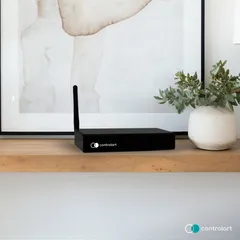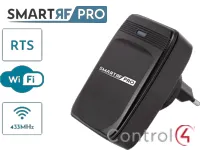
Driver for integrating the SmartRF Pro gateway, which lets you control 433 MHz RF and RTS devices from Control4.
Shades and blinds are controlled by the ZoomDH SmartRF Pro Blind driver, and other RF devices (gates, fireplaces, motors) by the ZoomDH SmartRF Pro Relay driver, bound to standard Control4 relay proxies.
Installation
- Set up the SmartRF Pro interface with the iDoor app, following the manufacturer’s instructions
- Reserve the interface IP on the DHCP server
- In the driver, fill in “IP Address” with the interface IP
- Fill in “Serial Number” and “PWD” with the data printed on the SmartRF Pro side label
- Add the SmartRF Pro Blind and SmartRF Pro Relay drivers according to the devices in the project
Features
- Communication with the SmartRF Pro gateway over the IP network
- Control of shades and blinds with 433 MHz RF and RTS motors
- Control of RF devices such as gates, fireplaces and motors
- SmartRF Pro Blind driver for shades/blinds
- SmartRF Pro Relay driver to bind to standard relays
- Configurable delay between RF/RTS commands
Requirements
- SmartRF Pro gateway set up with the iDoor app (Android/iOS)
- Gateway IP reserved on the DHCP server
More details about this driver: drivers@zoomdigitalhome.com.br