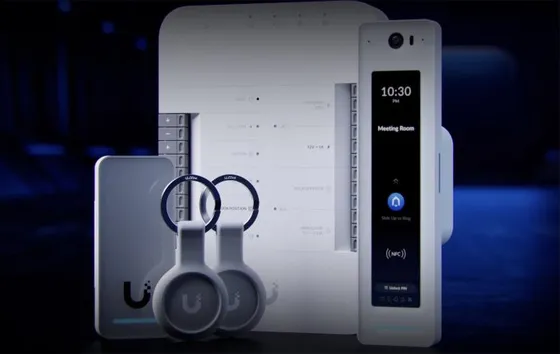
Integration driver for UniFi Access. It works as a gateway in Control4: it connects to the UniFi OS console hosting Access, discovers the doors and devices, and creates a Location child driver for each door and an Intercom driver for each reader with a doorbell, already named and bound.
Communication uses the console’s local API (HTTPS) for data and commands and a WebSocket for real-time events. Authentication uses the user name and password of a console local administrator, just like the Access web interface itself, with automatic re-login when the session expires. An API key (Integrations) is still accepted where the console still supports it.
The Intercom registers the SIP account in the Control4 Communications Agent and automatically configures third-party SIP and the call recipient in Access, according to the call group chosen in the driver.
Installation
- Add the ZoomDH – UniFi Access Gateway driver to the project in Composer Pro. The Access connection is bound to the ZoomDH UniFi Cloud driver automatically.
- In IP Address, enter the IP of the UniFi console hosting Access.
- In Console Username and Console Password, enter a console local administrator (recommended: a user dedicated to Control4). Alternatively, use API Token (key from Access > Integrations) on consoles that still accept it.
- Wait for Connection Status = Online and run the Auto Install Location Drivers and Auto Install Intercom Drivers actions to create and bind the child drivers.
- In the Intercom driver, choose the call group in Group to Call. SIP and the recipient are configured in Access automatically.
Features
- Discovers the Access doors and devices and creates a child driver (Location) for each door
- Unlock door, timed unlock and emergency mode per door or global (Lockdown / Evacuate)
- Real-time events for access granted/denied, door position and doorbell, with user and method
- SIP intercom with doorbell through the Control4 Communications Agent, configured automatically in Access
- Call recipient chosen from the Control4 call group
- Authentication with a console local admin user name and password (session), with automatic re-login
- Relay-type outputs for Lockdown and Evacuation and clear messages when the credential is rejected
Requirements
- UniFi OS console hosting the Access app (UDM, UDM Pro/SE, Cloud Key, UNVR etc.), with a static or reserved IP
- Console local administrator (not an SSO/2FA account), preferably dedicated to Control4
- Controller and console on the same local network, with internet access on the controller
- For the intercom, an Access device with a doorbell (e.g. UA G3 Pro)
- Location, Intercom and Cloud drivers included in the package, in the Documents\Control4\Drivers folder
Release notes
- 20261014
Documentation updated to the new standard.
- 20260808
UniFi Protect license support.
- 20260420
Initial release.